
Under Microsoft's multi-platform strategy, purchasing an Xbox console is no longer an entry ticket into an isolated, proprietary box. Instead, it serves as an anchor into an interconnected gaming service network spanning 4K living room televisions, desktop PCs, and portable handheld streaming devices. For prospective buyers, the core decision matrix consistently centers on two practical questions: does the $200 price gulf between the Xbox Series X and Series S justify stepping up to the flagship, and how should one navigate the restructured Game Pass subscription tiers without paying for unused digital shelf space?
Answering these questions requires calculating the Total Cost of Ownership (TCO) across hardware, proprietary storage upgrades, and recurring service fees. A seemingly economical entry-level console quickly loses its financial justification if a player must invest in costly proprietary solid-state expansion cards to manage modern game installations. Conversely, subscribing indefinitely to premium service tiers without aligning with annual completion rates turns a convenience into an idle recurring drain. Establishing a rational balance between silicon capability and software consumption is the foundation of a resilient Xbox setup.
1. Series X vs Series S: Hardware Realities and the Storage Expansion Trap
While both consoles share AMD’s Zen 2 processor architecture and RDNA 2 graphics silicon, Microsoft implemented sharp architectural trade-offs across compute cores, memory bandwidth, and out-of-the-box storage capacity.
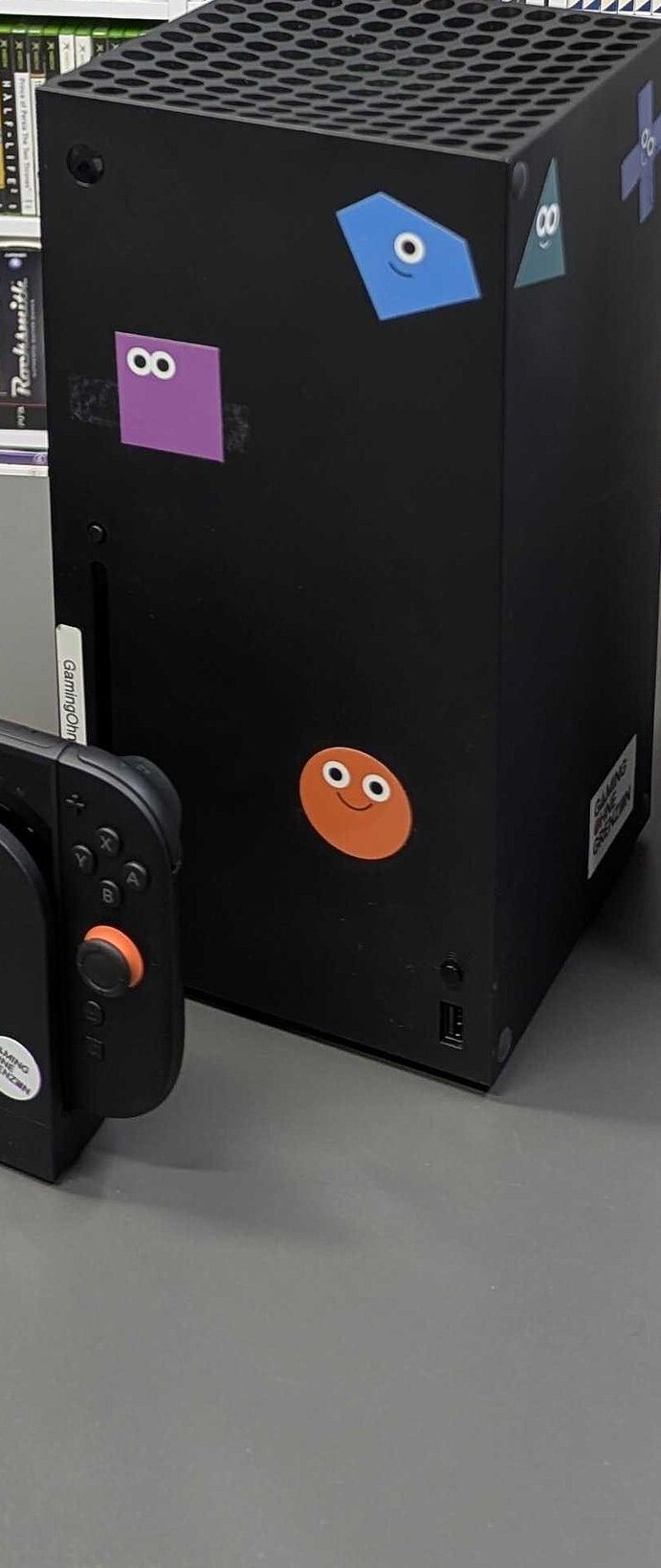
Silicon Disparity and Real-World Visual Fidelity
The performance separation between the flagship and the entry unit is substantial:
| Comparison Metric | Xbox Series X (Flagship) | Xbox Series S (Budget Baseline) |
|---|---|---|
| GPU Compute Performance | 12.15 TFLOPS (52 CUs @ 1.825 GHz) | 4.0 TFLOPS (20 CUs @ 1.565 GHz) |
| Memory Configuration | 16GB GDDR6 (10GB @ 560 GB/s + 6GB @ 336 GB/s) | 10GB GDDR6 (8GB @ 224 GB/s + 2GB @ 56 GB/s) |
| Target Output Resolution | Native 4K (2160p) @ 60-120fps | 1080p - 1440p Dynamic Scaling @ 30-60fps |
| Internal Storage Baseline | 1TB / 2TB NVMe SSD (~802GB Usable on 1TB) | 512GB / 1TB NVMe SSD (~364GB Usable on 512GB) |
| Optical Media Support | 4K UHD Blu-ray Physical Drive | All-Digital (No Optical Drive) |
| Manufacturer Suggested Price | $499.99 | $299.99 (512GB) / $349.99 (1TB) |
On a modern 4K display (such as a 65-inch OLED or Mini-LED panel), the Series X deploys its 12 TFLOPS of compute and 560 GB/s memory bandwidth to sustain razor-sharp texture rendering, extended draw distances, and stable hardware-accelerated ray tracing. By comparison, the Series S relies heavily on spatial and temporal reconstruction, resulting in softer background geometries and noticeable edge aliasing on large screens.
Demanding contemporary releases, such as Cyberpunk 2077, Baldur's Gate 3, and Starfield, expose the operational constraints of the Series S's 10GB unified memory pool (of which only 8GB runs on the higher 224 GB/s bus). In heavy scenes with dense volumetric lighting or complex physics interactions, titles on the Series S frequently downscale internal resolution to 720p-900p and lock framerates to 30fps. If your setup revolves around a living room 4K TV, the Series X provides unmistakable visual longevity. If your station is an arm's-length 24- to 27-inch 1080p high-refresh gaming monitor, the pixel density of the Series S remains entirely respectable.
The 364GB Usable Capacity Trap and Expansion Math
The most significant pitfall awaiting entry-level buyers is the practical capacity of the base 512GB Series S.
After accounting for the operating system kernel, telemetry partitions, and Quick Resume cache reserves, the usable storage space available to the user is precisely 364 gigabytes. Modern production blockbusters routinely consume immense storage footprints:
- Call of Duty: Black Ops 6 with base campaign and multiplayer packages exceeds 140GB;
- Forza Horizon 5 demands roughly 130GB;
- Starfield requires approximately 125GB.
On a 512GB Series S, installing just two mainstream blockbusters consumes the entire high-speed storage reserve, leaving insufficient room even for moderate indie installations.
To expand high-speed storage capable of launching current-generation native titles, Xbox relies on proprietary expansion cards manufactured by Seagate and Western Digital (WD_BLACK C50). Unlike the standard M.2 NVMe form factor used by desktop PCs and the PlayStation 5, these proprietary cards carry substantial price premiums:
- A 1TB proprietary expansion card retails between $130 and $160;
- A 2TB proprietary expansion card commands upwards of $280.
Calculating the real purchase math reveals the financial contradiction: buying a 512GB Series S at $299 and adding a 1TB expansion card for $149 brings your total hardware outlay to $448. At that price, you are within $50 of a standalone Xbox Series X ($499), which includes roughly 802GB of usable high-speed storage out of the box, three times the GPU compute power, and an integrated 4K Blu-ray drive. Spending flagship money on compromised silicon is an avoidable tactical miscalculation.
If budget restricts you to a Series S, adopt one of two sustainable approaches: either spend the modest $50 premium for the 1TB Carbon Black or Robot White Series S ($349), or pair the 512GB model with a generic external USB 3.0 hard drive ($40-$50) as "cold storage", transferring games back and forth in 10-15 minutes rather than paying for proprietary solid-state cards.
2. The Revised Game Pass Economics: Which Tier Makes Financial Sense?
Once hardware is secured, Xbox Game Pass becomes the operational core of the ecosystem. Microsoft's structural revisions to the service tier hierarchy have removed the automatic recommendation of perpetual top-tier subscriptions.
Unpacking the Tier Hierarchy
The Game Pass catalog is segmented into three distinct consumer tiers:
| Subscription Tier | Monthly Pricing | Core Content Catalog | Multiplayer & Multi-Device Access |
|---|---|---|---|
| Game Pass Core | $9.99 / month | Curated 25+ legacy title library; no new releases | Console online multiplayer included; console only |
| Game Pass Standard | $14.99 / month | Full console back-catalog; excludes Day-One releases | Console online multiplayer included; console only |
| Game Pass Ultimate | $19.99 / month | All Day-One first-party blockbusters included; full EA Play catalog | Multiplayer included; spans Console, PC, and Cloud Gaming |
The Annual Breakeven Formula
Evaluating the economic utility of a subscription requires indexing against standalone retail pricing. Full-price premium titles from major publishers standardly retail at $69.99.
For Game Pass Ultimate, an annual subscription at standard monthly billing equates to roughly $240 per year (discounted to approximately $150-$180 when using legitimate retail annual cards):
- The Dedicated Completionist: If your gaming calendar includes major upcoming first-party titles, such as Call of Duty, Avowed, Indiana Jones and the Great Circle, and Fable, completing three to four full-price releases each year fully offsets the annual subscription commitment. The hundreds of back-catalog indie titles, third-party additions, and EA Play catalog entries become pure surplus value.
- The Focused Specialist: If 80% of your annual playtime is concentrated in one or two persistent live-service games, such as EA Sports FC, Rainbow Six Siege, or Apex Legends, maintaining a $19.99 monthly Ultimate plan is financially inefficient. A player focused strictly on online competition requires only Game Pass Core ($9.99/mo) to unlock console servers; for free-to-play titles (such as Fortnite or Warzone), Xbox requires no paid subscription whatsoever for online matchmaking.
- The Intermittent Strategy: Single-player campaign enthusiasts benefit from abandoning recurring auto-renewals. Activating a single month of Game Pass Ultimate when a marquee title launches, completing the narrative within thirty days, and immediately disabling recurring billing in the Microsoft account portal captures maximum utility at minimal expense.
3. Ecosystem Value: Xbox Play Anywhere and Low-Latency Remote Play
A decisive structural advantage of the Xbox platform lies in digital licensing continuity across hardware categories. Microsoft's Xbox Play Anywhere framework and local network streaming provide functional flexibility unmatched by competitors.
Xbox Digital Ownership Architecture:
[Single Digital Purchase via Xbox Store] ──> Grants [Xbox Console License] + [Windows PC License]
           │
           ├──> Bi-directional Cloud Save Telemetry (Instant cross-progression)
           └──> Local Remote Streaming (Sub-35ms) ──> Laptops / Tablets / Handhelds
Digital Longevity via Play Anywhere
On rival console platforms, playing a title across both a living room TV and a desktop PC traditionally demands two discrete purchases, frequently with fragmented save files and isolated achievement trackers.
Within the Xbox ecosystem, any title bearing the Xbox Play Anywhere designation:
- Delivers dual ownership rights: buying the digital edition on console unlocks the native Windows PC version at no additional cost;
- Synchronizes saves automatically through cloud telemetry. A player can finish an evening campaign mission on the living room television, power down the console, sit at a desktop PC the following morning, and resume progression seamlessly from the exact same checkpoint.
Home Network Remote Play Optimization
Beyond remote server cloud gaming, Xbox consoles feature integrated local network Remote Play, encoding and broadcasting live video from the console directly to a local Windows laptop, iPad, iPhone, or dedicated streaming handheld.
Achieving responsive, artifact-free local streaming requires enforcing three network fundamentals:
- Hardwire the Console via Gigabit Ethernet: Always tether the host console to your primary router using a Category 6 (Cat6) network cable. Relying on console Wi-Fi introduces micro-packet dropouts that trigger sudden stream hitching and resolution drops.
- Dedicate 5GHz Spectrum for Client Devices: Connect your mobile viewing device exclusively to the 5GHz Wi-Fi band, configuring your router to a clean, fixed 80MHz channel width to avoid collision with legacy 2.4GHz home appliances and Bluetooth peripherals.
- Bluetooth Latency Management: Pairing an official Xbox Wireless Controller via Bluetooth to an iPad or laptop over an optimized Wi-Fi 6 local network routinely maintains overall input latency between 25 and 35 milliseconds, delivering fluid responsiveness for turn-based tactics, racing titles, and narrative action games.
4. Setup Recommendations by Player Profile
To streamline purchasing decisions, select the equipment and service configuration tailored to your actual play patterns:
Setup 1: The 4K Living Room Core Setup (Max Fidelity)
- Primary Hardware: Xbox Series X (1TB or 2TB edition)
- Display Target: 55- to 75-inch 4K 120Hz TV equipped with HDMI 2.1, supporting Variable Refresh Rate (VRR) and Dolby Vision Gaming
- Subscription Tier: Game Pass Ultimate (annual commitment or rotating quarters)
- Strategic Value: Uncompromised native 4K resolution, full ray tracing headroom, and physical disc compatibility for cheap pre-owned retail disc collecting.
Setup 2: The Bedroom or Dorm Desk Setup (Budget Efficiency)
- Primary Hardware: Xbox Series S 1TB (Carbon Black or Robot White edition)
- Display Target: 24- to 27-inch 1080p or 1440p 144Hz IPS gaming monitor
- Storage Strategy: Internal 1TB storage paired with a standard external 2TB USB 3.0 HDD for cold-storing overflow games
- Strategic Value: Keeps total hardware acquisition costs under $350 while maintaining clean thermals, whisper-quiet acoustics, and ample modern game storage.
Setup 3: The Hybrid PC + Console Companion Setup (Maximum Flexibility)
- Primary Hardware: Existing gaming PC (RTX 3060/4060 or higher) paired with an Xbox Series S in the secondary room
- Subscription Tier: PC Game Pass standalone ($11.99/mo) or shared Ultimate
- Strategic Value: Maximizes the Play Anywhere catalog, reserving mouse and keyboard precision for real-time strategy and competitive shooters while utilizing the console for relaxed sofa gameplay.
Aligning console hardware with your existing display capabilities and managing subscription billing around actual release schedules ensures your Xbox setup delivers peak value throughout 2026 and beyond.
来源
- 美元折人民币按 2026 年 10 月 10 日银行中间价 1 美元约 6.69 元,见 汇通网当日牌价。
- Game Pass 档位价格会改,正文写的是成稿时的常见月费,购买前以微软商店当时页面为准。